Selling a one-million-person webinar online, without building a new product
- Company
- Zoom is the video platform for meetings, webinars and events. Webinars is its paid product for one-to-many broadcasts.
- Team
- Me (product designer), a PM and a content designer, with Legal, Professional Services, Billing and engineering
- My role
- End-to-end design: pricing page, checkout, billing, plan management, mobile
- Timeline
- Jul – Nov 2024, four phases
- Challenge
- Large webinars could only be bought through sales. An executive escalation asked for them to be sold online, fast.
The problem
A high-profile event outgrew Zoom Webinars’ 10,000-attendee cap, and people couldn’t get in. Soon after, an executive escalation landed on our team: let customers buy much bigger webinars online, without talking to sales.
The catch was everything around it. The deal couldn’t wait for a new product to be built. Events this size needed mandatory consulting support. Legal had to sign off on every promise. And four kinds of customer would arrive at checkout: brand-new visitors, free users, existing Webinars customers and existing Workplace customers.
How might we make a one-off, $100,000 purchase feel as simple as a $79 one?
Sell a one-time event on top of a monthly plan
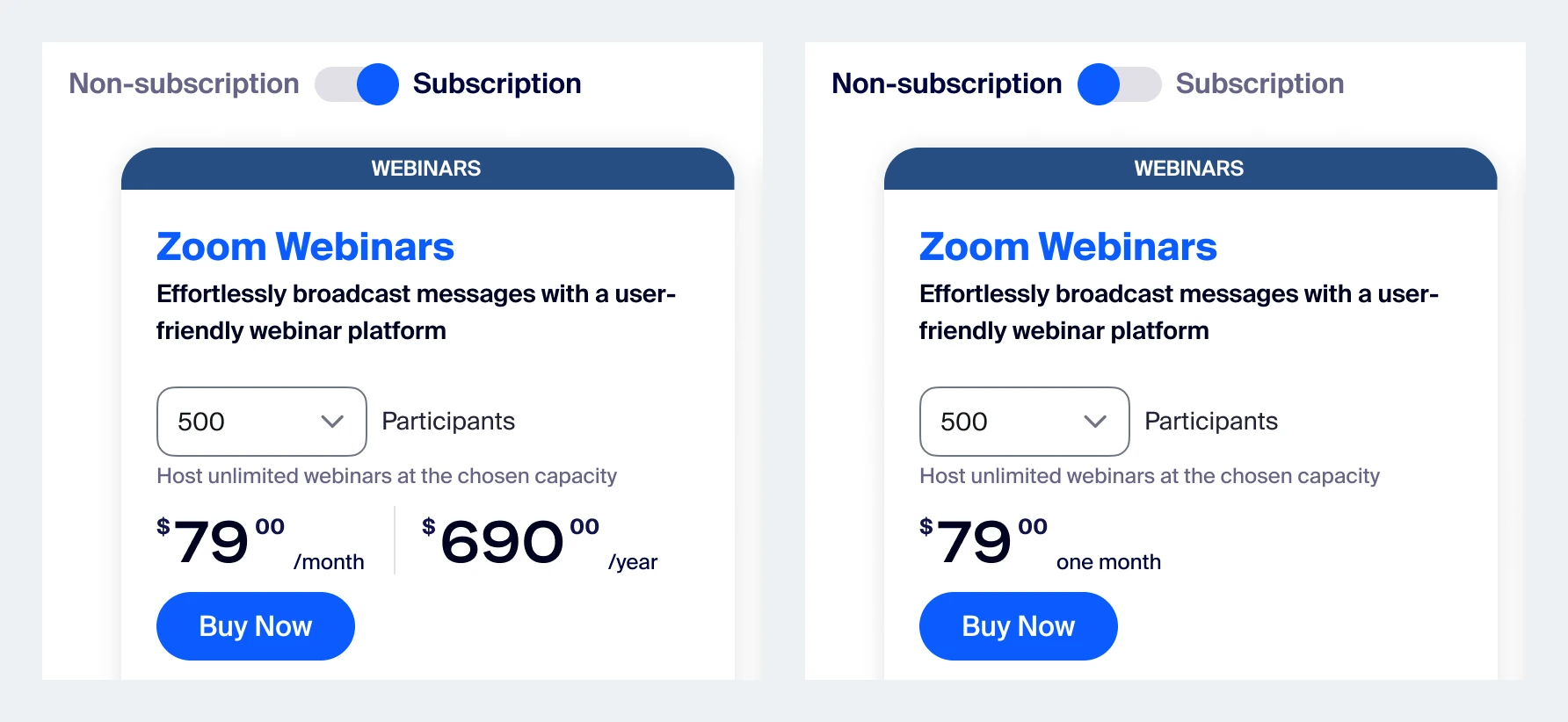
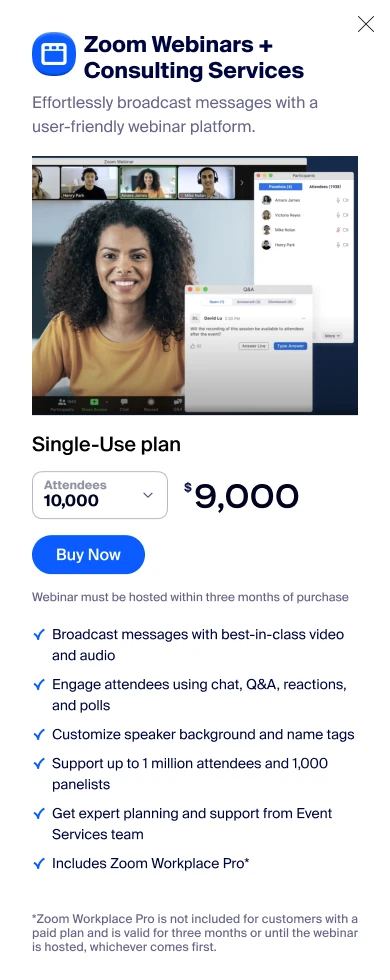
We framed a one-month plan as “single-use”, so no new product had to be built.
What we gave up: a perfect model. Customers got a clear one-event promise, and we kept a list of edge cases for Phase II.
A true per-event product would have taken months of billing work. The fastest honest path was to sell an existing one-month plan and present it as a single webinar.
That meant designing the language with Legal: when the event happens, what “attendee” means, why it can’t be cancelled, and how to upgrade from 10K to 20K if registrations grow.
Put a $100,000 option in the same dropdown as a $79 one
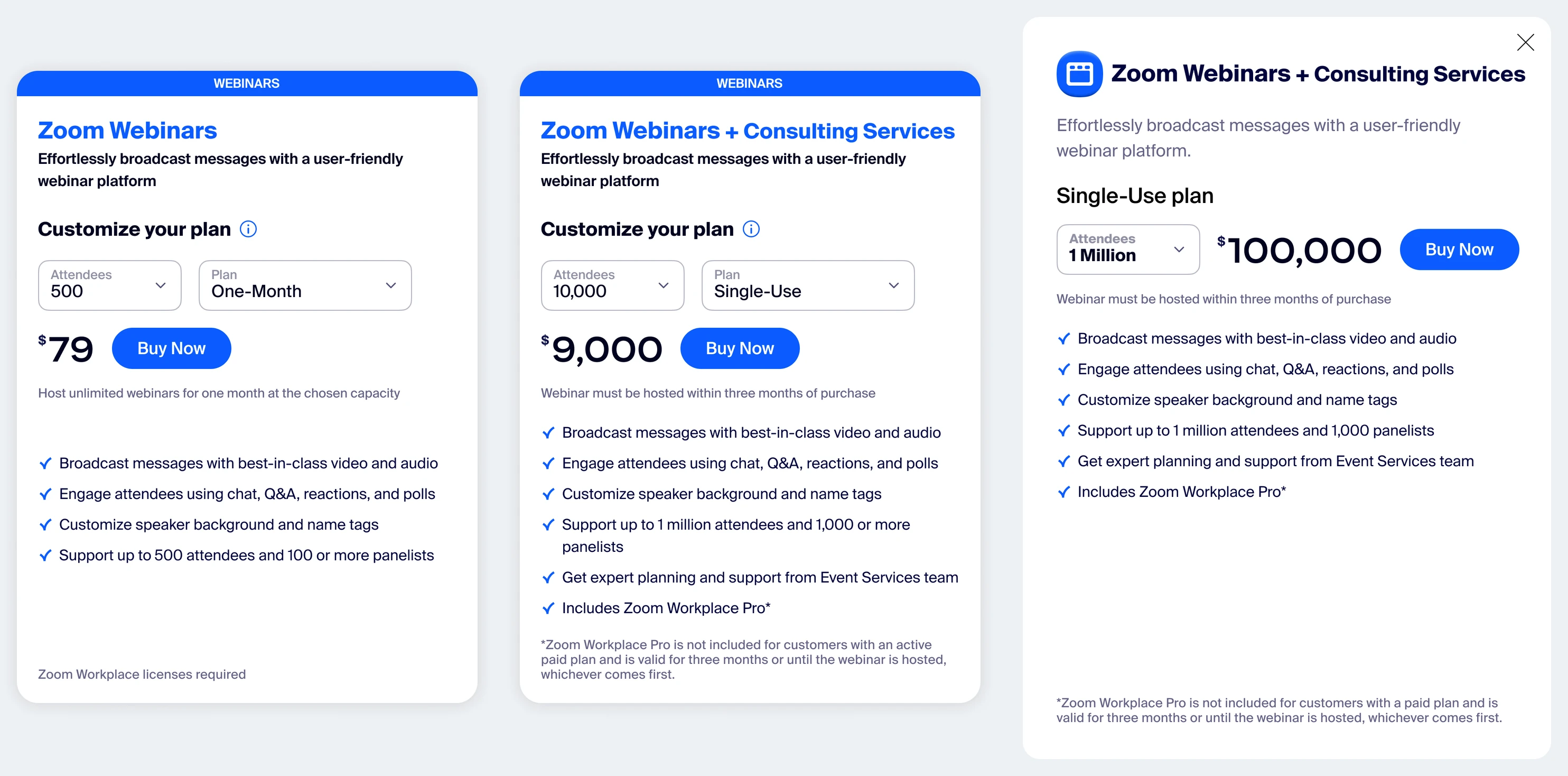
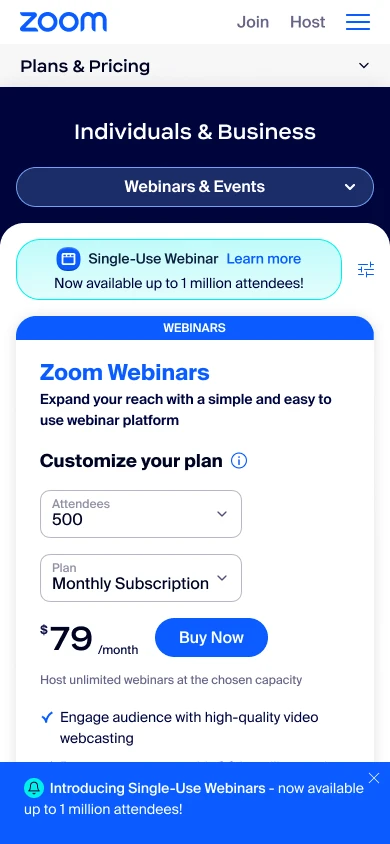
We used one pricing card, with copy that changes at each tier.
What we gave up: a dedicated enterprise-events page. One path meant one place to maintain prices.
The simplest place for a 1M-attendee webinar was the dropdown customers already used, which started at 500 attendees. I mapped what each tier needed to say. Small tiers stayed self-serve and short. From 10,000 up, the card added the consulting hours, the event date and the single-use framing.
I also found a trap in my own design. The comparison chart below the card didn’t change with your selection. You could read it, scroll up, change your plan, and not realize the chart no longer applied. I logged it as a pain point for the next phase.
Show what the services cost
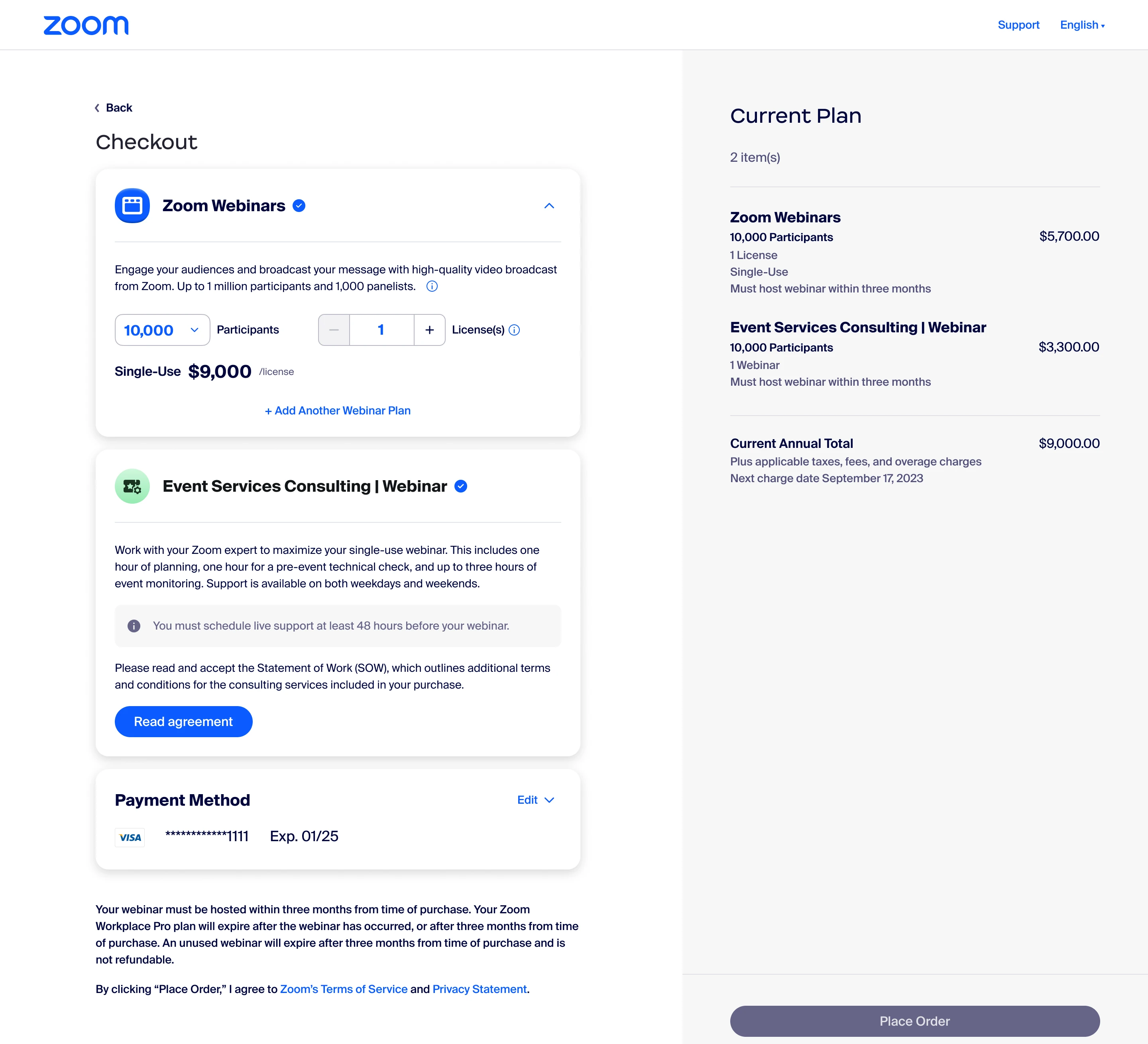
I recommended splitting consulting into its own line in checkout.
What we gave up: a shorter checkout. One more line was worth no surprises on a five- or six-figure invoice.
Every big webinar came with mandatory Professional Services hours: three hours up to 100K attendees and five above that. In early versions, that cost was folded into the plan price.
I proposed a separate line item so customers could see exactly what each consulting session cost. Its name matched the line they’d see on their invoice.
Being honest at huge scale
Some features, like chat, Q&A, polls and reactions, don’t behave normally above about 100,000 attendees. Some stakeholders wanted softer copy. We worked through where the note should start, how specific it should be, and how to say it plainly, with Legal and the content designer.
Naming got the same care. We dropped “Session” and avoided “Event” in feature names, because Zoom already sells products with those names.
The final experience
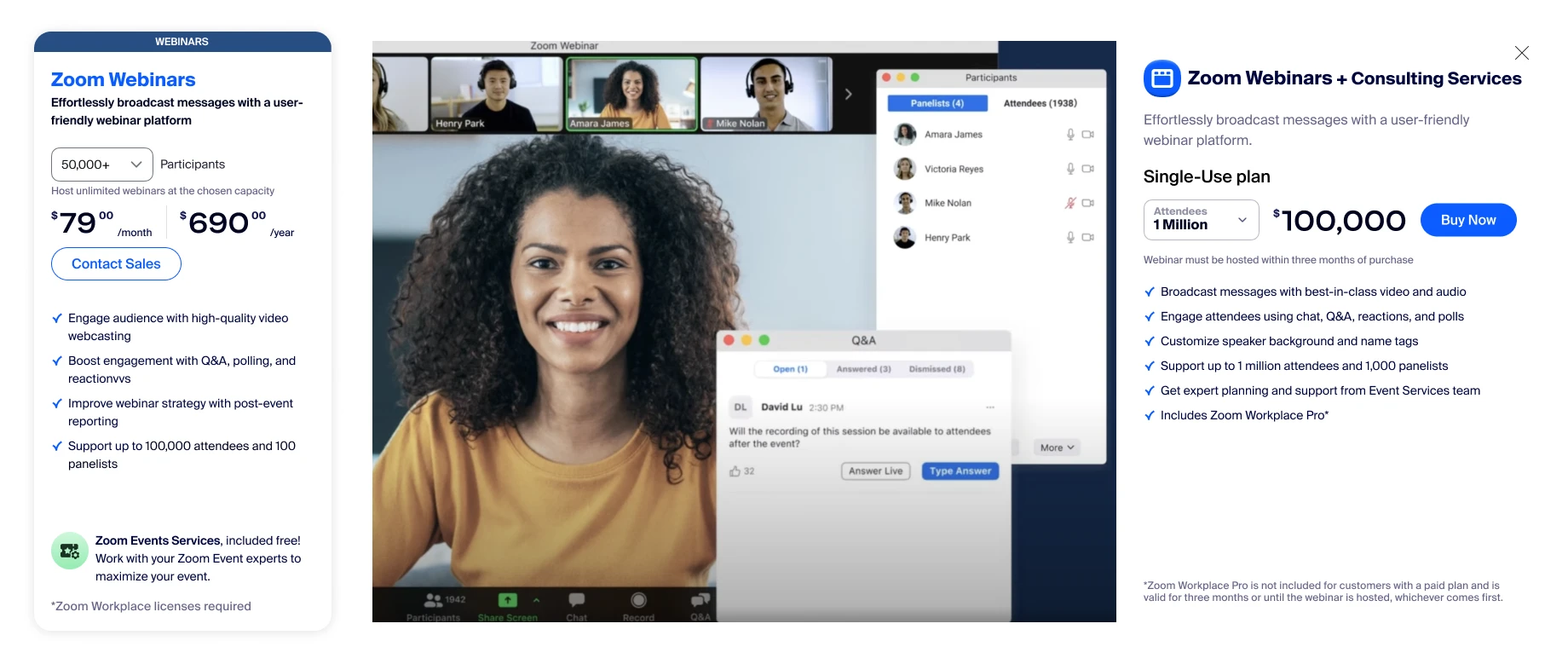
Over four phases, the work covered the pricing page at four breakpoints, checkout for all four customer types, billing, plan management after the webinar, mobile, the FAQ and the comparison chart. Phase IV extended the same pattern to Large Meetings and Sessions.
Results
Large webinars became something anyone could buy online, without a sales call, across every customer type.
I moved on before post-launch sales data was available to me, so I can’t share numbers here.
What I’d do next
Turn “single-use” into a real per-event product, so the edge cases we listed go away. Then test whether showing the services line earlier, on the pricing page, reduces checkout drop-off at the top tiers.
- Took an executive escalation from a moving brief to a shipped flow, through 12 iterations in Phase 1 alone.
- Wrote and drove the recommendation to show services as their own line item.
- Ran reviews with Legal, Professional Services, Billing and content design, and kept the decision log.
- Four customer types, each with a buy flow, checkout, billing and plan-management states.
- Tier-by-tier copy rules, written for developers.
- Responsive pricing at 1440, 1024, 768 and 390 pixels.